> For the complete documentation index, see [llms.txt](https://docs.lsports.eu/u/llms.txt). Markdown versions of documentation pages are available by appending `.md` to page URLs; this page is available as [Markdown](https://docs.lsports.eu/u/trade/user-guide/configuration/release-notes-and-feature-requests.md).
# Release Notes and Feature Requests
Welcome to the ARENA360 Release Notes & Feature Requests Hub
Your gateway to staying ahead with the latest updates and shaping the platform's future. This guide is designed to give you a seamless and intuitive experience, helping you:
**Stay informed –** Easily access the latest release notes and feature enhancements.
**Have your say** **–** Submit feature requests and influence product development.
**Engage & collaborate** **–** Gain insights into upcoming innovations and provide direct feedback. With this hub, you’re not just using ARENA360 - you’re helping shape its future!
#### **Accessing the Release Notes & Feature Requests**
To access these features, follow these steps:
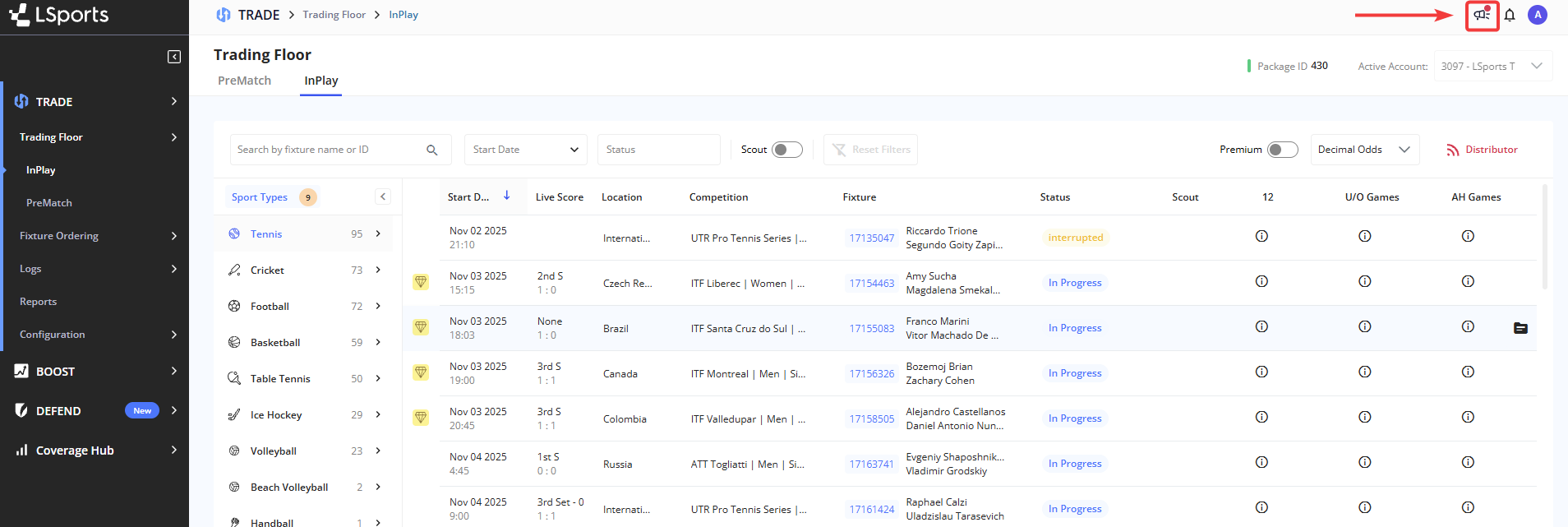
1. Open the platform
2. Navigate to the top menu
3. Select the Release Notes & Requests icon
Within this widget, you will find two tabs:
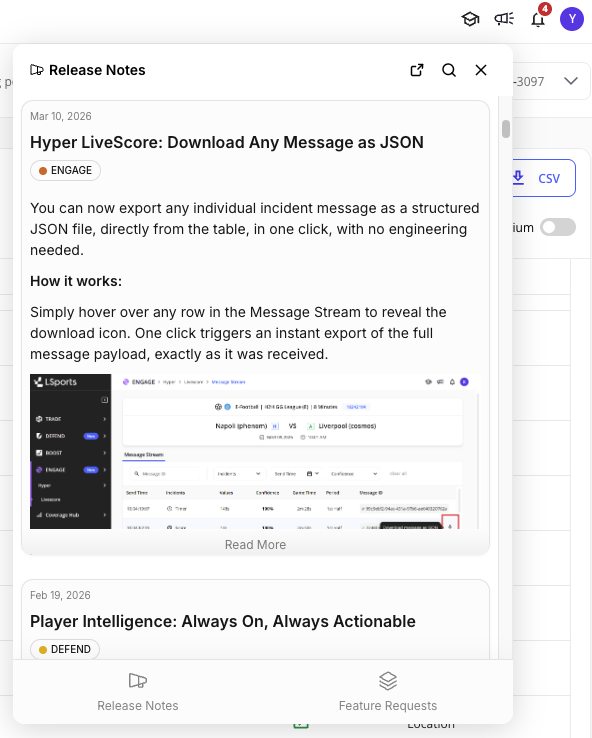
* **Release Notes:** View platform updates and the latest release notes.
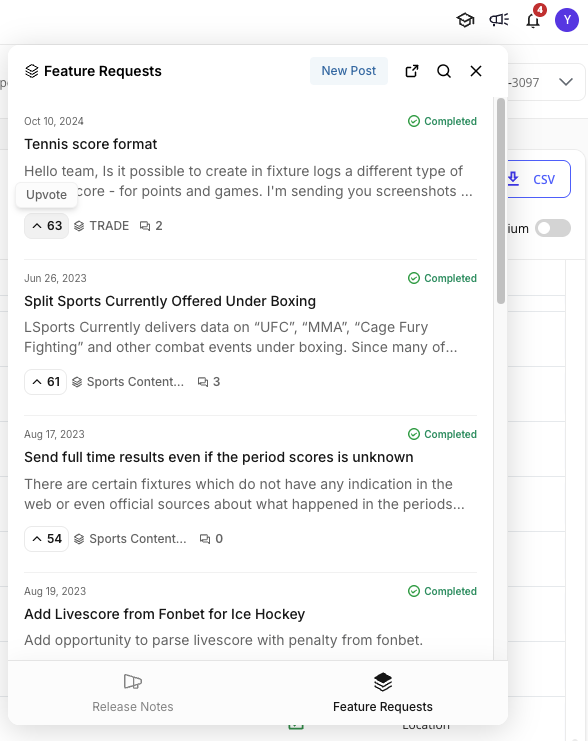
* **Feature Requests:** Submit, vote, and comment on feature requests.
#### **Release Notes**
The Release Notes section provides real-time updates on new features and enhancements.
Each release note includes a **description**, relevant **labels**, and in some cases **links** to additional documentation.
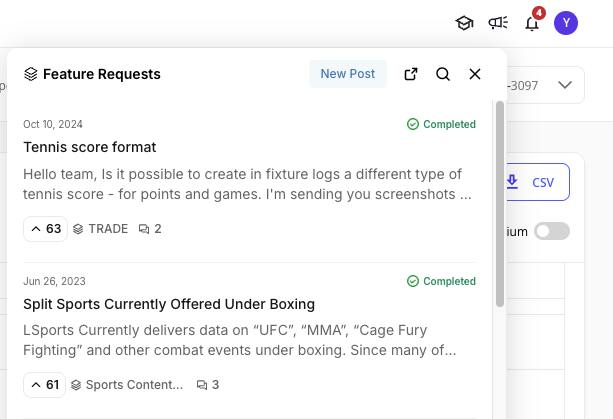
#### **Feature Requests**
The Feature Requests section allows you to engage directly in shaping product development.
**Key Features:**
* You can view other users’s feature requests submitted and the relevant details for each request:
* Request Description
* Number of Votes
* Request Status ("Completed", "In Progress", "In Review", or "Planned")
* User Comments
* You can contribute by:
* **Voting on feature requests** to express an interest in the same topic.
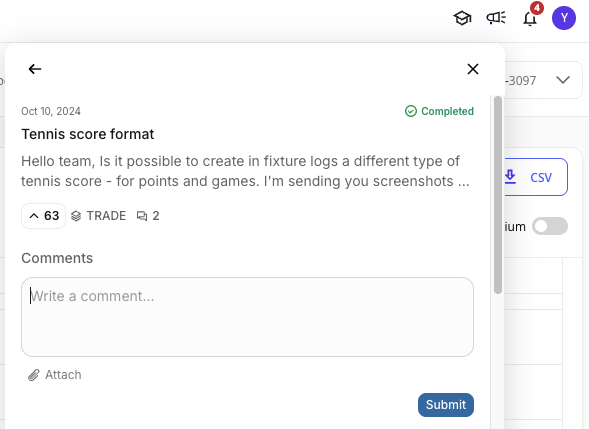
* By clicking on a specific request, you can **Add comments** on existing requests to share additional feedback.
* **Submitting new feature requests** using the "New Post" option.
* You can also search feature requests by keyword for easy navigation.
We continuously evaluate opportunities to enhance this feature and welcome your feedback through the Feature Requests section.
---
# Agent Instructions
This documentation is published with GitBook. GitBook is the documentation platform designed so that both humans and AI agents can read, navigate, and reason over technical content effectively. Learn more at gitbook.com.
## Querying This Documentation
If you need additional information that is not directly available in this page, you can query the documentation dynamically by asking a question.
Perform an HTTP GET request on the current page URL with the `ask` query parameter, and the optional `goal` query parameter:
```
GET https://docs.lsports.eu/u/trade/user-guide/configuration/release-notes-and-feature-requests.md?ask=&goal=
```
`ask` is the immediate question: it should be specific, self-contained, and written in natural language.
`goal` is optional and describes the broader end goal you are ultimately trying to accomplish on behalf of the user. GitBook uses it to tailor the answer towards what is most useful for that goal.
The response will contain a direct answer to the question and relevant excerpts and sources from the documentation.
Use this mechanism when the answer is not explicitly present in the current page, you need clarification or additional context, or you want to retrieve related documentation sections.