> For the complete documentation index, see [llms.txt](https://docs.lsports.eu/u/llms.txt). Markdown versions of documentation pages are available by appending `.md` to page URLs; this page is available as [Markdown](https://docs.lsports.eu/u/trade/trade.md).
# TRADE Overview
Sports content control & markets engine
> **Control your odds feed with precision**
TRADE is LSports' comprehensive real-time odds feed, delivering pre-match and in-play market data from multiple providers. Control every aspect of your odds flow—from provider selection to margin configuration to settlement handling.
***
## What TRADE Does
TRADE answers the critical questions every trading team needs to know:
* **Which fixtures should I offer?** — Order fixtures from 20+ sports across 1,000+ leagues
* **What odds should I show?** — Configure providers, margins, and templates
* **Is my feed healthy?** — Real-time Trading Floor monitoring
* **How do I settle?** — Automatic settlement messages for bet resolution
***
## Key Modules
### Trading Floor
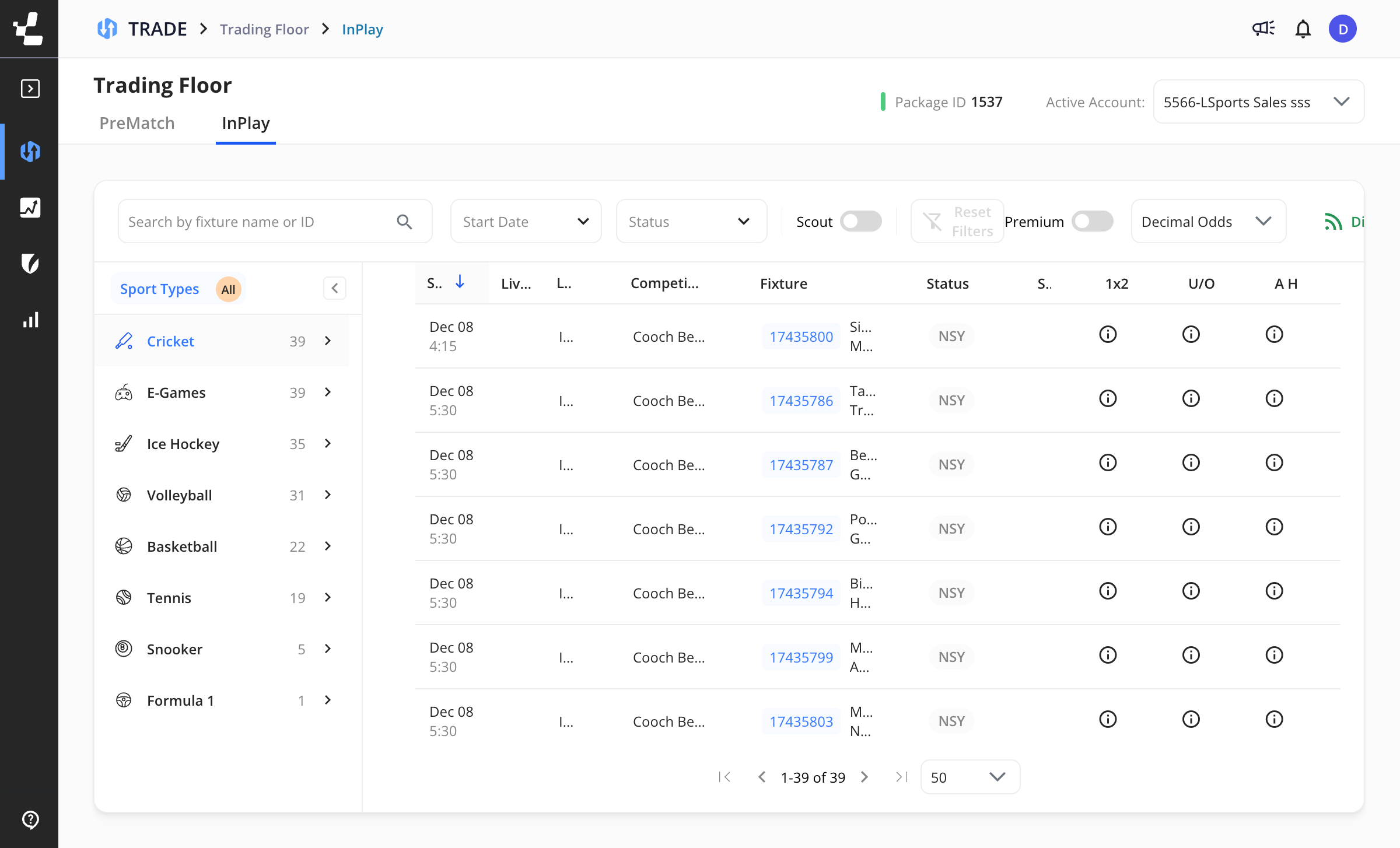
Monitor all ordered fixtures with live status updates, odds movements, and quick access to settings.
Monitor InPlay and PreMatch fixtures in real-time
| Feature | Description |
| ------------------------ | ------------------------------------------- |
| **InPlay/PreMatch tabs** | Switch between live and upcoming fixtures |
| **Main markets** | 1X2, Over/Under, Asian Handicap at a glance |
| **Status indicators** | NSY, In Progress, Lost Coverage |
| **Sport filtering** | Quick access to specific sports |
### Fixture Ordering
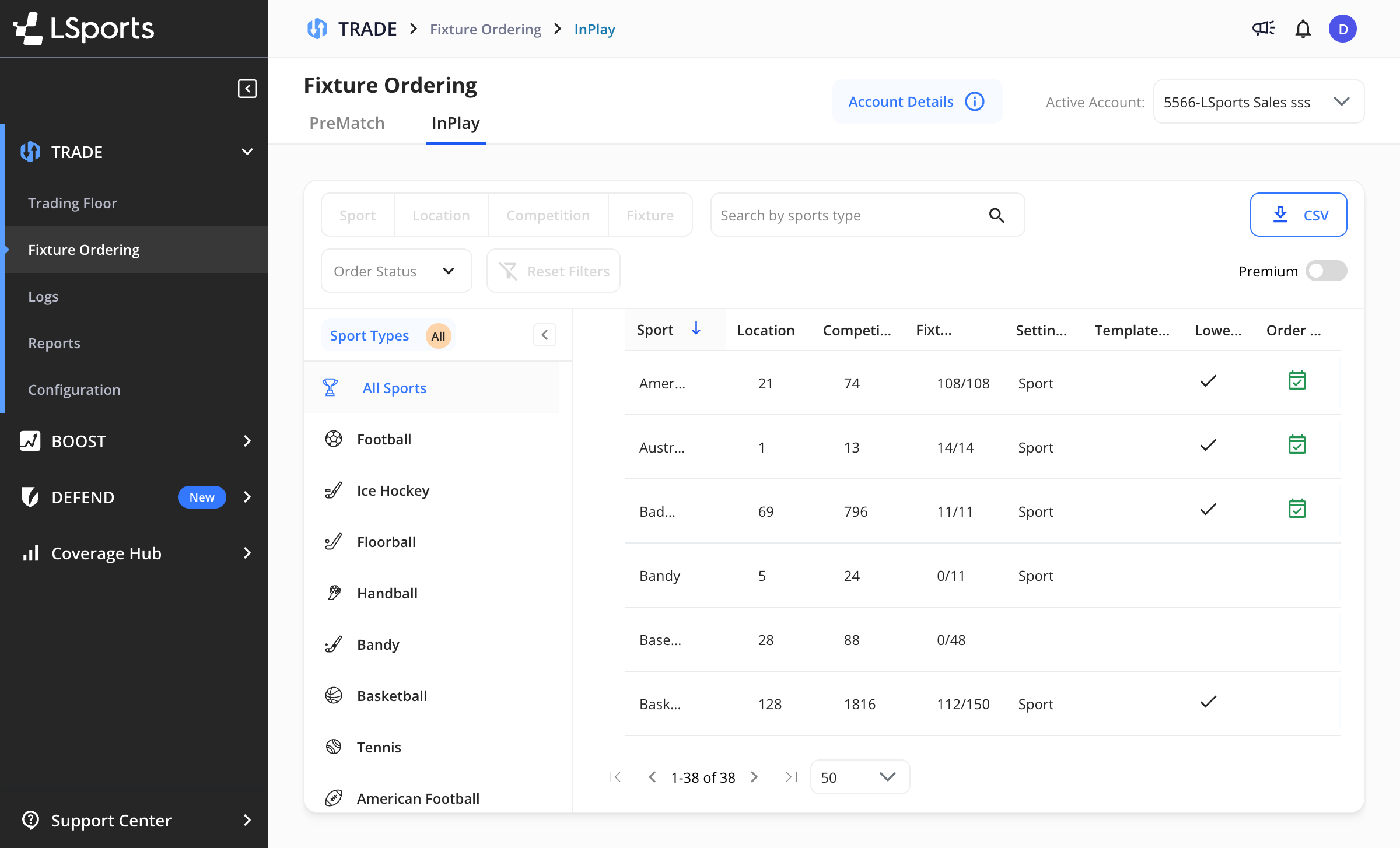
Order fixtures at the sport, location, competition, or individual fixture level.
Order fixtures by sport, competition, or fixture
| Feature | Description |
| ------------------------ | -------------------------------------------- |
| **Multi-level ordering** | Sport → Location → Competition → Fixture |
| **Fixtures count** | See ordered vs available fixtures |
| **Settings level** | Indicates where configuration is applied |
| **Premium toggle** | Switch between standard and premium coverage |
### Configuration
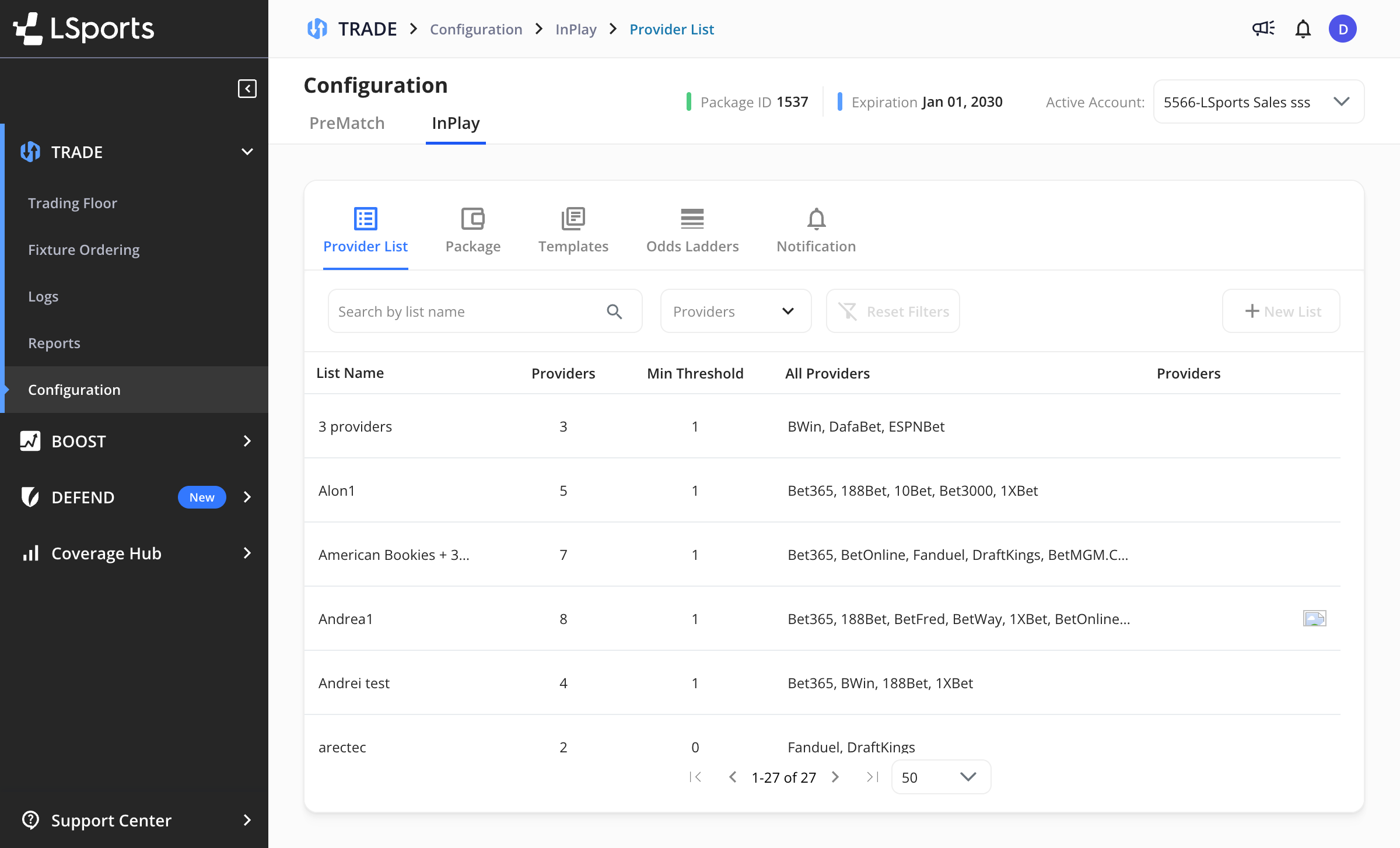
Configure providers, packages, templates, odds ladders, and notifications.
Configure providers, templates, and odds settings
| Tab | What It Does |
| ----------------- | -------------------------------------------------------------- |
| **Provider List** | Create provider groups with mandatory providers and thresholds |
| **Package** | View package details and entitlements |
| **Templates** | Define reusable odds configurations |
| **Odds Ladders** | Configure odds rounding rules |
| **Notification** | Set up alerts for quota and distributor status |
***
## Who Uses TRADE
| Role | How They Use TRADE |
| ------------------------ | ------------------------------------------------- |
| **Head of Trading** | Strategic provider selection, margin policies |
| **Senior Trader** | Day-to-day odds management, market monitoring |
| **Live Betting Manager** | In-play operations, real-time suspension handling |
***
## Technical Overview
| Feature | Description |
| ----------------- | --------------------------------------------- |
| **Data Delivery** | RabbitMQ streaming (delta updates) |
| **Coverage** | 20+ sports, 1,000+ leagues, 1,000+ markets |
| **Message Types** | Fixtures, Markets, Livescores, Settlements |
| **Providers** | 50+ odds providers with configurable priority |
| **Latency** | Sub-second for in-play markets |
***
## Documentation
| Section | Description |
| -------------------------------------------------------- | ----------------------------------------------------- |
| [Concepts](/u/trade/concepts.md) | Fixture lifecycle, market types, margins, settlements |
| [User Guide](/u/trade/user-guide.md) | Platform configuration and operations |
| [Integration](/u/trade/integration.md) | RabbitMQ setup, APIs, SDKs |
| [Settlements Rulebook](/u/trade/settlements-rulebook.md) | Sport-specific settlement rules |
| [FAQ](/u/trade/faq.md) | Common questions |
***
## Related Products
* [**BOOST**](/u/boost/boost.md) — Analyze provider performance and coverage
* [**DEFEND**](/u/defend/defend.md) — Risk management using TRADE data
---
# Agent Instructions
This documentation is published with GitBook. GitBook is the documentation platform designed so that both humans and AI agents can read, navigate, and reason over technical content effectively. Learn more at gitbook.com.
## Querying This Documentation
If you need additional information that is not directly available in this page, you can query the documentation by asking a question.
Perform an HTTP GET request on the following URL with the `ask` and `goal` query parameters:
```
GET https://docs.lsports.eu/u/trade/trade.md?ask=&goal=
```
`ask` is the immediate question: it should be specific, self-contained, and written in natural language.
`goal` is what the user is ultimately trying to achieve, the reason they need the answer. Sharing it helps GitBook give you a better, more relevant answer. A goal is most helpful when it describes the outcome the user wants rather than restating the question. For example, with `ask=how do I create an API token`, a goal like `automate deployments from our CI pipeline` lets GitBook tailor the answer to that use case.
The response will contain a direct answer to the question and relevant excerpts and sources from the documentation.
Use this mechanism when the answer is not explicitly present in the current page, you need clarification or additional context, or you want to retrieve related documentation sections.